⏱ 17 min read
Published August 8, 2026
Post-Showing Follow-Up: When Buyer Agents Don’t Respond
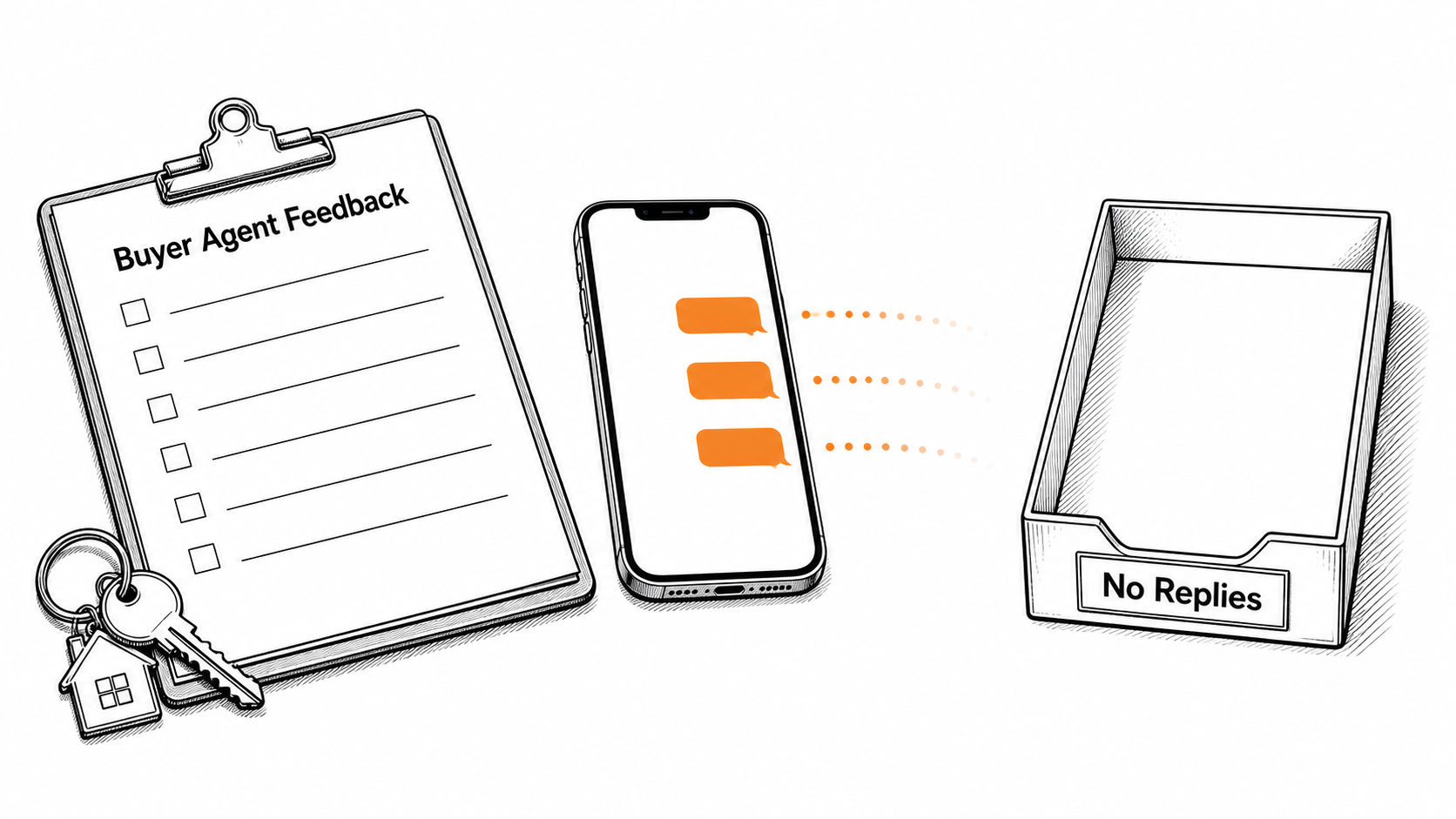
Most listing agents waste hours on manual post-showing follow-up, texting showing agents who never respond. You show a high-end property, wait three days, and hear nothing. The seller calls you asking for updates. You have no answers because the buyer’s agent ignored your messages.
- Buyer agents frequently fail to provide feedback because manual forms take too long to complete on a smartphone between scheduled appointments.
- An automated SMS sequence sent two hours after a showing keeps the home fresh and gets more replies than next-day emails.
- Sending a clear offer deadline text to all showing agents creates immediate urgency and forces a final status update for the pipeline.
- Routing post-showing follow-up data directly to a seller dashboard eliminates the need for daily update phone calls.
Why Do Buyer Agents Ghost Showing Feedback?
Buyer agents often skip showing feedback when the request takes too much work between appointments. If providing post-showing follow-up requires a long form or another portal login, it falls to the bottom of the list.
Listing agents get angry when buyer agents go dark after a tour. The silence is frustrating, but these agents are usually just disorganized. A buyer agent might show six houses in one afternoon, and your listing was the third stop.
Simplify the feedback process to fix this bottleneck. Replace long forms with a single text message containing a two-tap link. Reducing friction encourages agents to reply, and responsiveness keeps sellers happy. Zillow’s 2024 Consumer Housing Trends Report found that 80% of agent-using sellers considered a responsive first impression very or extremely important. You cannot be responsive if you are waiting on a buyer agent. Make the process simple for the showing agent, and you get the data you need to protect your listing.
What Is The Two-Hour Showing Feedback Trigger?
The two-hour showing feedback trigger refers to a quick automated text sent after an appointment ends, asking the showing agent for their first reaction. This post-showing follow-up catches the agent while the home is still fresh, so you collect better feedback without chasing them the next day.
Listing agents often wait until the next morning to ask for feedback. By then, the buyer agent is already juggling new clients, new showings, and whatever problem came up next.
A timed sequence resolves this delay. Once your CRM logs the end of a showing, it automatically sends a text two hours later. This message contains a link to a form that asks for quick price positioning feedback, taking only ten seconds to complete.
“Automating this text is one of the simplest ways to stop chasing feedback by hand,” says Rohan Attravanam, founder of nurtureBEAST. “The system sends the reminder, collects the reply, and gives your seller something real to look at.”
Use a message that asks for one quick answer:
Two-Hour Check
“Hey [Name], thanks for showing [Address]. Quick question: what did your buyer think of the price? 1-High, 2-Fair, 3-Low. Just reply with a number.”
This simple automation replaces manual outreach, running quietly in the background without any reminders. It captures the agent’s thoughts right after they leave the driveway.
If you use GoHighLevel, the setup is simple. Create a custom field for the showing date and time, then build a workflow that triggers two hours afterward. Add one SMS step, a one-day wait step, and a second SMS for non-responders. This GoHighLevel CRM setup guide can help with the mechanics.
How Do You Keep Sellers Updated Without Daily Phone Calls?
Piping feedback directly into a seller dashboard allows clients to see interest levels without manual updates. Removing yourself as the information bottleneck keeps the seller informed and prevents late-night text messages regarding showing statuses.
Sellers often grow anxious when they hear nothing after a showing, assuming no news means bad news. Nighttime texts asking about the tour become a frustration, especially when manual post-showing follow-up leaves you with no actual updates to share.
Taking yourself out of the middle resolves this communication gap. Configure your system to push agent feedback directly into a shared portal, a GoHighLevel client view, or a Google Sheet updated through Zapier, ensuring the seller sees any response the buyer agent taps on the form.
| Method | Best for | Watch out for |
|---|---|---|
| Manual texts | One active listing | Wasting hours every week chasing replies |
| MLS auto-emails | Compliance | Low response rates from busy agents |
| Automated SMS + Dashboard | Busy listing agents | Requires initial CRM setup time |
This level of transparency builds trust by showing the raw market reaction. If three consecutive agents note that the price is too high, the seller sees the pattern while it is still fresh. The data helps frame the price conversation before it turns into a personal debate.
How Does The Offer Deadline Reminder Sequence Work?
An offer deadline reminder sequence sends an automated status check to every agent who toured the home 24 hours before offers are due. This post-showing follow-up gives buyer agents a clear yes-or-no moment, reducing guesswork in your pipeline.
When a property has multiple showings, tracking who is writing an offer gets messy. Scrolling through old text threads to remember who showed interest is tedious, and calling agents who have already moved on to another house wastes valuable time.
A deadline text solves this confusion. Upon deciding on an offer review time, trigger a sequence to all agents who toured the property. Stating the deadline and asking if they plan to submit an offer creates immediate urgency, forcing a reply to protect their client.
Those who decline can be checked off the list, while positive responses clarify exactly who needs a follow-up on deadline day. This organization keeps the pipeline clean. Implementing a realtor pipeline management strategy also helps move these listings smoothly through the transaction stages.
Here are two simple messages to use in that window:
Next-Day Bump
“Hi [Name], following up on [Address]. Is your client still considering it, or have they moved on? Let me know so I can update my seller.”
Deadline Push
“Hey [Name], we are reviewing offers for [Address] tomorrow at 5 PM. Are you guys submitting? Need to know so we don’t miss you.”

How Do You Handle Post-Showing Follow-Up Exceptions?
Giving your assistant simple review queues lets them handle exceptions while the system manages daily outreach. CRM automation makes a VA more effective by handling predictable tasks, freeing the team to focus on complex questions rather than leaving voicemails.
Many agents hire an assistant to collect showing feedback. That VA then spends hours making phone calls that go to voicemail or sending emails that get ignored, wasting human hours on tasks an automated system handles faster.
A more effective approach involves letting the system manage the initial outreach. Automation sends texts and emails as part of the post-showing follow-up strategy, while the VA monitors a dashboard for exceptions. An agent asking a complex question about a roof repair gets flagged for your review, and anyone going dark after three automated attempts receives a single manual phone call from the assistant.
Scaling a team requires letting tools do the heavy lifting so human staff can handle high-value interactions. Delegating routine outreach forms a core part of building a real estate follow-up system that works around the clock.
The operating lesson is simple: stale follow-up gets weaker by the hour. Training agents to reply quickly means asking simple questions rather than open-ended ones that demand a paragraph.
Frequently Asked Questions
How soon should I send a post-showing follow-up message?
Aim to send the first automated text message roughly two hours after the appointment ends. A brief delay gives the agent enough time to finish their tour and speak with clients, while still catching them before they forget the listing details.
What if a buyer’s agent still ignores my texts?
If an agent ignores multiple automated prompts, have your virtual assistant make a single manual phone call to attempt contact. Should they still fail to respond, mark them as unresponsive in your CRM and focus your energy on engaged buyers.
Can I automate feedback directly into my MLS?
Most MLS platforms require manual login to complete their proprietary feedback forms, which causes low compliance rates from busy agents. Instead of relying on the MLS system, use an independent CRM like GoHighLevel to capture quick SMS responses and route that data to your sellers.
Related reading
- Realtor Pipeline Management – Organize your active listings and buyers into clear stages.
- Real Estate Follow-Up System – Build the core tracks every agent needs to close more deals.
- How to Use GoHighLevel CRM – Get your database set up the right way without wasting months.
Final Takeaway
Chasing buyer agents for showing feedback wastes valuable time. Manual post-showing follow-up leaves sellers anxious and makes a listing agent look disorganized. A simple automated sequence that texts the agent while the property is still fresh improves the situation, and making the questions easy to answer drives the response rate higher.
A solid CRM setup handles this outreach automatically. The software contacts the showing agents and updates the seller with the compiled responses. Meanwhile, a virtual assistant manages any exceptions so you can focus on negotiating deals.
If you want to see how nurtureBEAST handles automated showing feedback and seller updates, take the quiz to find out what’s killing your real estate business or visit nurturebeast.com.