⏱ 18 min read
Published March 31, 2026
Showing social proof on demand at the exact moment a lead hesitates can dramatically lift response rates.
Google Business Profile for Real Estate: 7-Step Setup
Last Updated: March 31, 2026
When someone searches “real estate agent in [your city],” the first thing they see is not websites – it’s the Google Business Profile map pack. The three agents who appear there get the majority of clicks from that search. A Google Business Profile (formerly Google My Business) is free, relatively quick to set up, and one of the highest-leverage local SEO investments available to real estate agents. This guide covers everything you need to set it up correctly and keep it producing results.
Key Takeaways
- The Google Business Profile map pack appears above organic results – it’s often the first thing searchers click
- Category, service area, and reviews are the three biggest ranking factors for real estate agents
- Weekly Google Posts keep your profile fresh and signal activity to Google
- Photos, Q&As, and attributes reduce the friction between someone finding you and contacting you
- Review management (asking, responding) is ongoing work but produces compounding results
Table of Contents
- Why GBP Matters for Real Estate Agents
- Setting Up Your Profile Correctly
- Categories and Services
- Photos and Visual Content
- Getting and Managing Reviews
- Google Posts: What to Publish Weekly
- Q&A Section
- FAQ
Why GBP Matters for Real Estate Agents
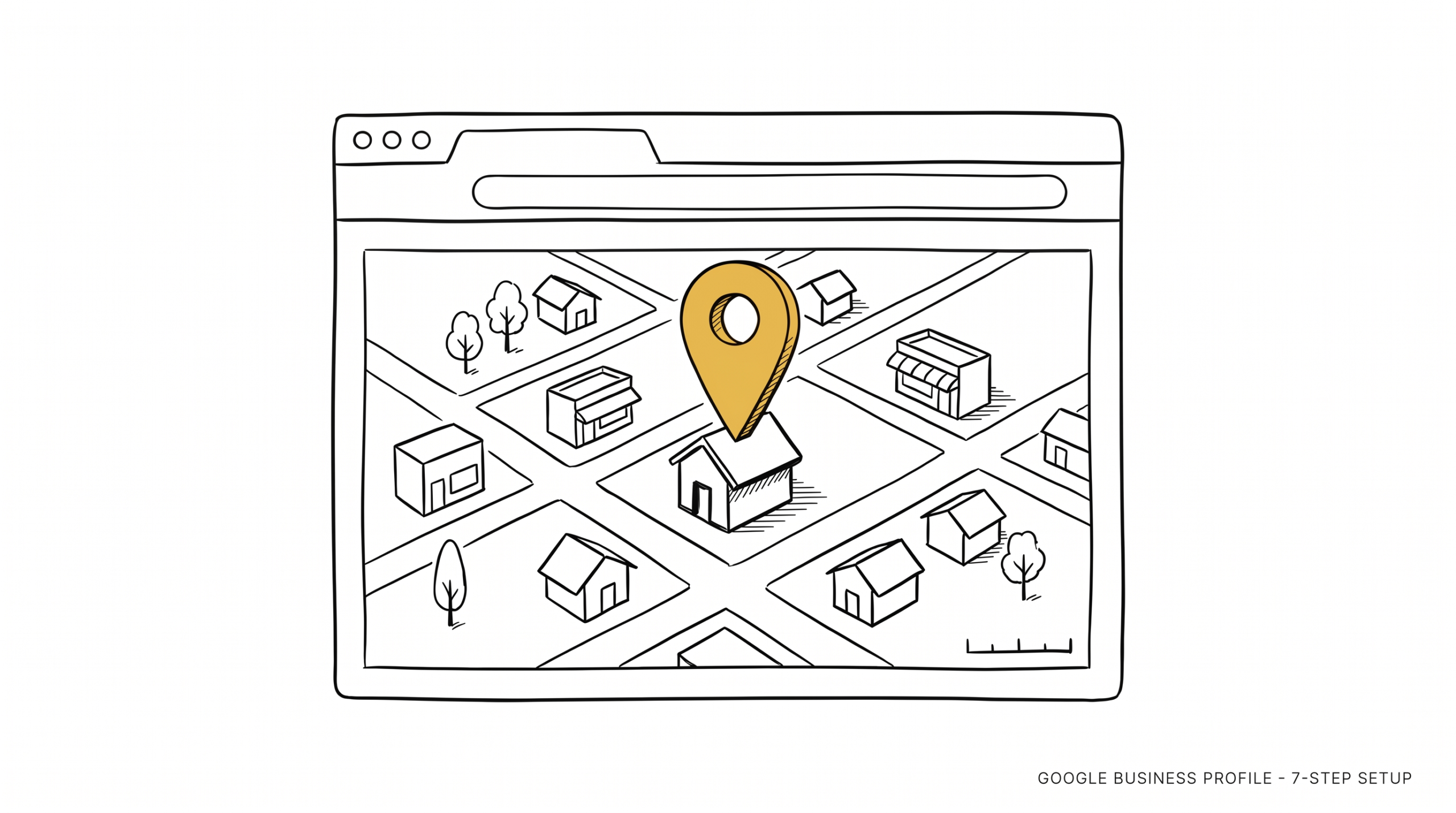
Google Business Profile controls what appears in the “map pack” – the three business listings that show up with a map at the top of local search results. For searches like:
- “real estate agent [city name]”
- “real estate agents near me”
- “best realtor in [neighborhood]”
- “[city] homes for sale”
…the map pack appears before any organic website results. Research from BrightLocal consistently shows that 80%+ of local searchers interact with the map pack before scrolling to organic results.
For real estate agents, this means your GBP is often the first contact a local lead has with you. Not your website. Not your Zillow profile. The GBP.
It also feeds Google’s AI answer features. When someone asks Google Assistant or searches with an AI overview for “who are the top real estate agents in [city],” your GBP data is one of the primary inputs. A complete, active profile makes you more likely to appear in AI-generated recommendations.
Setting Up Your Profile Correctly
Claim and verify your profile. Go to business.google.com. Search your name and agency. If a profile exists but is unclaimed, claim it. If none exists, create one. Verification requires a postcard, phone, or email verification depending on your business type.
Business name. Use your actual name or team name as it appears in real life. Do not keyword-stuff your business name (e.g., “John Smith – Top Realtor in Austin TX”). Google will flag this, and other users can suggest edits.
Address vs. service area. Real estate agents typically work out of a home office or shared brokerage. You can choose to hide your address and instead list a service area (list your city and surrounding areas). This is appropriate if clients don’t visit your location.
Phone number. Use a trackable number if you want to measure GBP call volume separately. Otherwise, your direct business number.
Website. Link to your personal real estate website or broker profile page. Not your Zillow profile – your own web presence.
Hours. List actual business hours. If you’re available by appointment only, note that. Don’t leave this blank.
Categories and Services
Primary category. This is the most important categorization decision you make on your GBP. For real estate agents, the correct primary category is “Real Estate Agent”. Do not use “Real Estate Agency” (that’s for brokerages) or broader categories.
Secondary categories. Add relevant secondary categories based on what you actually do:
- “Real Estate Consultant” if you do consultations
- “Real Estate Appraiser” only if licensed
- “Property Management Company” only if you offer that service
Incorrect categories hurt your ranking. Only use categories that accurately describe your primary services.
Services. Google lets you add a services list with descriptions. Add:
- Buyer Representation
- Seller Representation / Listing Agent Services
- Relocation Assistance (if relevant)
- Investment Property (if relevant)
- New Construction (if relevant)
Write brief service descriptions (2-3 sentences) that include your city name naturally. This is indexed by Google and helps with local search relevance.
Photos and Visual Content
Profiles with photos get significantly more views and direction requests than those without. Google’s own data suggests profiles with photos receive 42% more requests for driving directions and 35% more website clicks.
Required photos:
- Profile photo: a professional headshot (not a logo)
- Cover photo: you in action or a local neighborhood photo
- Exterior photo: your brokerage office or a representative property (optional if home-based)
Ongoing photos to add monthly:
- Sold properties (exterior with “SOLD” overlay)
- Happy client photos (with permission)
- Local neighborhood photos that match your service area
- Community events you attend or sponsor
Label photos descriptively when uploading – Google reads photo metadata. A photo named “john-smith-realtor-austin-home-sold.jpg” performs better than “IMG_4832.jpg.”
Getting and Managing Reviews
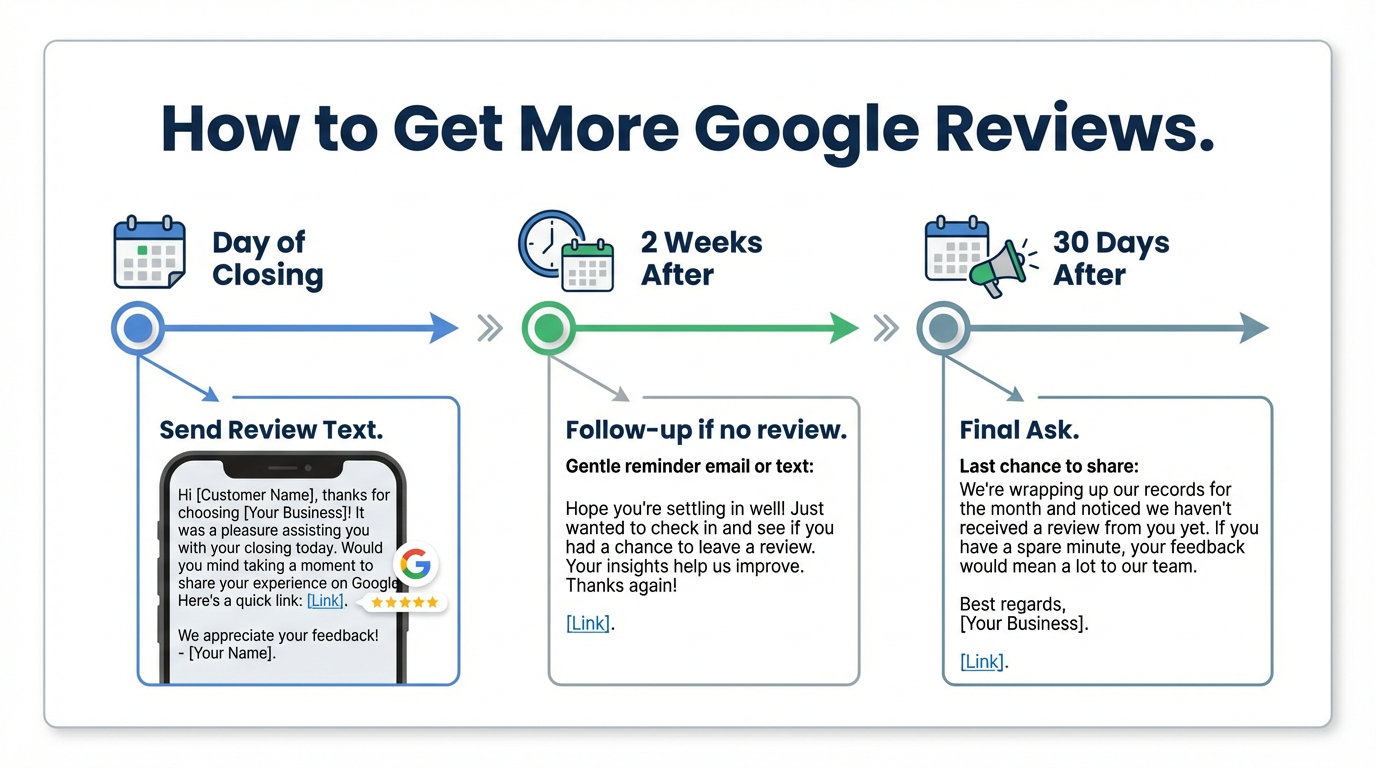
Reviews are the single biggest ranking factor in the GBP map pack for service businesses. More reviews, higher average rating, and recent reviews all signal relevance to Google.
How to get reviews:
Ask right after closing – ideally within 48 hours while the experience is fresh. A simple text works: “Hey [Name] – so happy we got this done for you! If you have a moment, a quick Google review would mean a lot to me. Here’s the link: [direct review link].” Google lets you generate a direct review link from your GBP dashboard.
A real estate follow-up system should include an automated post-close review request sequence so this never gets forgotten.
How to respond to reviews:
Respond to every review – positive and negative. For positive reviews, thank the client, mention their specific situation if possible (without violating privacy), and reference your city. “Thank you, Sarah – helping you find your first home in [City] was such a rewarding experience. Congratulations again!”
For negative reviews, respond professionally and briefly. Acknowledge the concern, take it offline. Never argue in public. A thoughtful response to a negative review often reads better to prospective clients than the review itself.
Review velocity matters. Ten new reviews this year outperform forty reviews from three years ago in local ranking signals. Build a consistent review request habit into your post-close process.
Google Posts: What to Publish Weekly
Google Posts are short updates (text + image, up to 1,500 characters) that appear on your GBP profile. They expire after 7 days if not updated. Regular posting signals an active, maintained profile.
Post types that work for real estate agents:
- Market update: “3 homes sold in [Neighborhood] last month. Average price: $425,000. If you’re thinking of selling, the market is still moving. Contact me to see what your home is worth.”
- Just listed / just sold: Photo of the property, brief description, price, outcome
- Local news or event: Something specific to your service area – a new development, school ranking, local business opening
- FAQ post: Answer a common question (“What does contingent mean in real estate?”) and link to a full blog post
Aim for one post per week. The effort is low (5-10 minutes) and the signal to Google is worth it.
Q&A Section
Google allows anyone to add questions to your GBP and anyone to answer them – including you. This feature is underused by most real estate agents.
Pre-populate your own Q&As. Log into Google, find your own profile, and add the questions you commonly get asked:
- “What areas do you serve?”
- “Do you work with first-time buyers?”
- “How do you charge for your services?”
- “Are you available on weekends?”
Answer each question thoroughly and include your city name naturally. This content is indexed by Google and appears on your profile before a potential client has to ask.
Check your Q&A section monthly and answer any new questions from the public promptly.
FAQ
How long does it take for GBP to affect my local search ranking?
Most agents see initial movement in 60-90 days after completing their profile and accumulating initial reviews. Consistent weekly posting and monthly review accumulation produce compounding improvement over 6-12 months.
Should I use my brokerage’s GBP or create my own?
Create your own. Your brokerage’s GBP represents the brokerage, not you. When you leave (or when they rebrand), you lose the profile history. Your own GBP is an asset you own.
What if someone leaves a false or fake review on my profile?
Report it to Google using the “Report Review” option and select the applicable violation. If it’s clearly from a competitor or someone who was never your client, Google does remove these – but it can take weeks and isn’t guaranteed.
How many photos should I add to my GBP?
Start with 10-15 high-quality photos. Add new ones monthly. There’s no ceiling – more recent, high-quality photos consistently outperform profiles with a few old images.
Does having a website affect my GBP ranking?
Your website and GBP reinforce each other. A strong website with local SEO signals – consistent NAP (name, address, phone) data, local content – improves your GBP ranking. Link your GBP to your website and make sure the information is consistent.
The Bottom Line
Google Business Profile is one of the few free marketing tools available to real estate agents that has a direct, measurable impact on local search visibility. A complete profile with the right category, a service area, regular posts, and ongoing review accumulation puts you in front of buyers and sellers who are actively searching for an agent in your market.
The setup takes a few hours. The maintenance takes 30 minutes a week. The result is consistent visibility in local search results that compounds over time and costs nothing beyond the effort.
Is Your Real Estate Business Leaking Revenue?
Most agents are losing deals they don’t even know they have. Find out exactly where your business is broken and get a custom plan to fix it.