⏱ 11 min read
Table of Contents
ToggleGoHighLevel Snapshot Real Estate: 5 Top Picks for Agents
A lot of agents sign up for GoHighLevel expecting a ready-to-run system. What they get is a blank CRM. When you open it for the first time, there’s nothing there – no pipelines set up, no sequences running, no automations firing. GHL is powerful software, but out of the box it doesn’t do anything until someone builds it.
And then there’s a second feeling – the one nobody talks about. That quiet frustration when you realize setting this up requires skills you don’t have and didn’t sign up for. You’re a real estate agent. You sell houses. Building CRM automation logic wasn’t part of the deal.
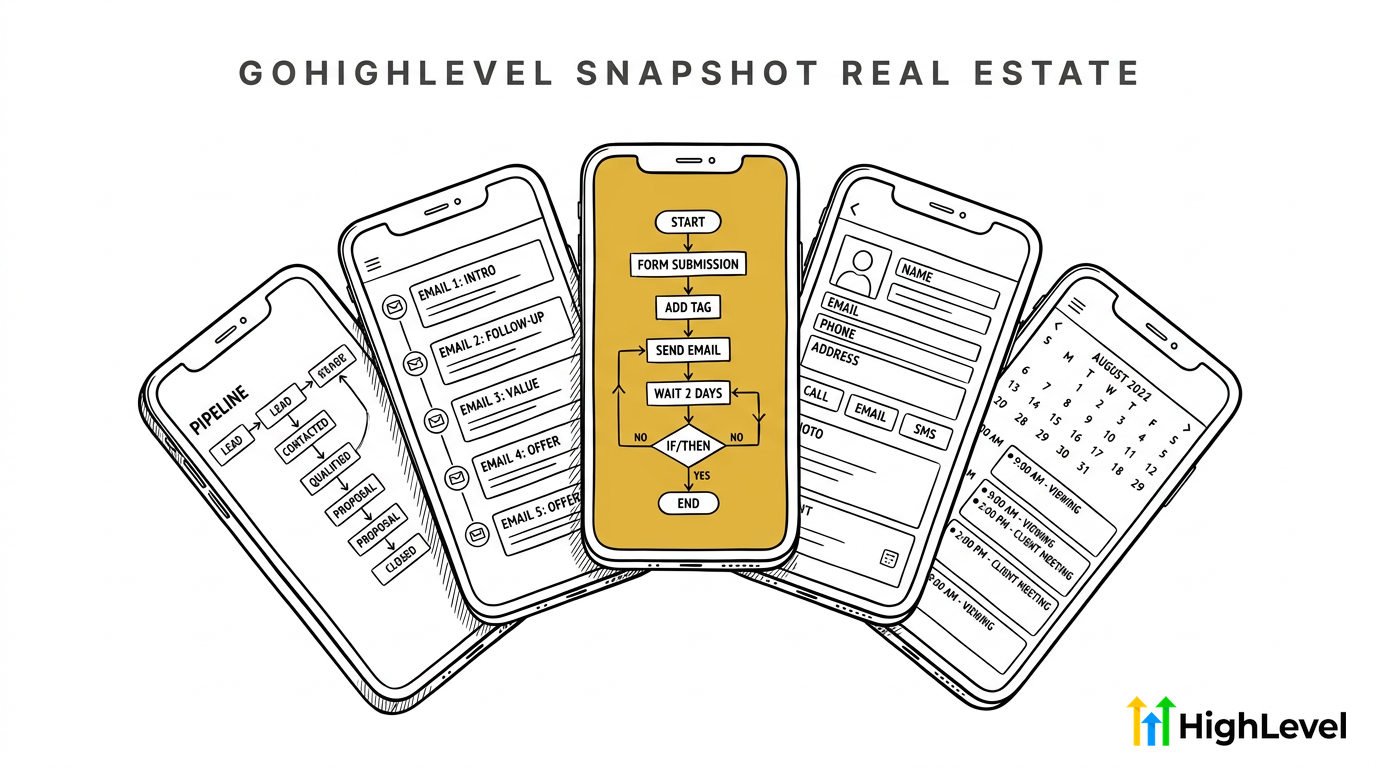
You don’t need to learn CRM engineering. That’s what a snapshot is for. A GoHighLevel snapshot for real estate is a pre-built system – sequences, pipelines, automations, all already built and connected – that you import in one click. You go from an empty account to a working lead nurture system in one afternoon.
What Is a GoHighLevel Snapshot, Exactly?
If you’ve poked around GHL and still aren’t sure what a snapshot actually is, you’re not alone – the platform doesn’t explain it well.
A snapshot is a saved copy of a fully configured GHL sub-account – pipelines, automations, email and text sequences, calendars, all of it. When you import it, that entire setup gets copied into your account. You’re not starting from scratch – you’re just adjusting it to fit how you work.
Now, here’s what makes a real estate snapshot different from a generic one. The drip sequences are written for buyers and sellers. The pipeline stages reflect how real deals actually move. Your messages don’t read like they were written for a dentist or a gym. That gap shows up in every message a lead gets from your system.
Why Do GoHighLevel Snapshots Matter for Real Estate Agents?
Here’s the honest truth most GHL agencies won’t tell you: building a CRM from scratch is a specialist skill. It’s not something you pick up in a weekend. You have to understand trigger logic, if/else branches, tag-based enrollment, sequence timing – and get all of it right before a single lead gets a message.
You’re a sales professional – selling real estate is what you do. Setting up automation logic in a CRM is not your job, and it doesn’t have to be. A snapshot means someone who does this all day already built it for you.
There’s nothing wrong with not wanting to spend three weeks figuring out why your automation isn’t firing. You don’t need to figure out trigger logic. That’s a tool problem, and a snapshot solves it.
Speed to lead is one of the biggest conversion factors in real estate. Harvard Business Review research found that agents who respond in the first hour are nearly seven times more likely to have a real conversation than those who wait two or more hours. If your system isn’t live yet, those windows close before you ever get to them.
This is also where real estate CRM setups fall short – agents pay for the tool and never actually get a system running.
What Should a Good Real Estate Snapshot Include?
Most agents only find out what’s missing from a snapshot when something fails – a lead goes quiet, a sequence never fired, a past client never got a follow-up. By then you’re already troubleshooting instead of selling.
A complete snapshot for real estate should have seven things: a buyer drip, a seller drip, an SOI newsletter, a speed-to-lead sequence, pipeline stages that match how your deals actually move, an appointment workflow, and an automated review request.
Here’s what each one does:
- Buyer drip sequence: Multi-touch follow-up for leads who aren’t ready to move yet
- Seller drip sequence: Nurture for homeowners thinking about selling at some point down the road
- SOI newsletter: Regular touchpoints to your sphere – not just fresh leads
- Speed-to-lead sequence: Immediate texts and emails the moment a new lead comes in
- Pipeline stages: Stages that reflect how real deals move, not a generic three-step board
- Appointment workflow: Confirmation, reminder, and post-show follow-up – all automated
- Review request: Triggered after closing so you’re not relying on memory
If a snapshot is missing two or more of these, you end up building the rest yourself anyway. That defeats the whole point.
Red Flags to Watch for in a Bad Snapshot
Most snapshots look fine from the outside. The problems only show up after you’ve already imported and a real lead is in the system. Here’s what to check before that happens.
Generic sequences with no real estate context. If the messages could go to a dentist or a gym owner, they weren’t written for agents. “Just checking in!” is not a nurture sequence.
No SMS. Email-only follow-up doesn’t hold up in 2026. If a snapshot has zero text messages, you’ll miss half your leads before they respond to anything.
Placeholder copy no one updated. “[Agent Name]” still in the body. “[City] market update” as a literal string. These were put together fast and never tested on a real lead. A properly built snapshot uses GHL merge fields – `{{contact.first_name}}`, `{{user.full_name}}`, `{{location.name}}` – so your messages personalize automatically. If you see hardcoded brackets instead of merge fields, the sequences were never finished.
Two-stage pipelines. If your pipeline has “New Lead” and “Closed,” that’s a list, not a pipeline. You need stages that reflect your actual process – active buyer, toured, under contract, pending, past client.
If you see these things, keep looking. The foundation of your follow-up system is too important to build on a weak template.
Where to Find Real Estate Snapshots
Most agents don’t know where to start looking – and the GHL marketplace isn’t exactly easy to navigate. Here are the three paths that actually exist, and five specific options worth knowing.
1. GoHighLevel’s own marketplace
GHL has an in-platform marketplace with snapshots from agencies and developers. Quality varies a lot. Some are solid starting points, others are pretty bare-bones. Count the automations listed – that gives you an instant read on how much is actually built.
2. nurtureBEAST’s done-for-you snapshot
Built specifically for residential agents. Includes SOI newsletters, follow-up sequences, listing content, and drip campaigns with copy written for real estate nurture – not adapted from a generic template. This is the agency white-label path.
3. Real estate coaching programs
Several coaching organizations have built GHL snapshots for their members. If you’re in a program, check whether one is included. The good ones come from coaches who actually run GHL themselves.
4. Marketing agencies that specialize in real estate
Agencies running paid ads for agents often bundle a snapshot with their service. Sometimes you can buy the snapshot separately. Ask your current marketing partner whether they have one.
5. Community-shared free versions
Facebook groups, GHL user communities, and Reddit threads share free snapshots. Some are genuinely impressive. Some have broken triggers. Treat them as a starting reference, not a finished system you’d stake your lead pipeline on.
- ✓Week-by-week 7-touchpoint sequence (weeks 1-12)
- ✓Exact email subjects + body copy (weeks 2 and 10)
- ✓SMS scripts for weeks 4 and 8 – one stat, no pitch
- ✓Call talking points for all 3 phone touchpoints
- ✓GHL pipeline stages, custom fields, and lead source tags
USE COUPON “NURTUREBEAST” for $100 OFF
How Do You Evaluate a Snapshot Before You Import?
Most agents skip this step and regret it – importing something that looks complete and discovering the gaps once leads are already in the system. Five minutes of evaluation before you import saves hours of cleanup after.
Count the automations. Open the automations list. A real estate snapshot worth using should have at least 8 to 12 automations. Fewer than that and something important is missing.
Check the SMS-to-email ratio. You want a mix. If every sequence is email-only, that’s a problem. Real estate runs on text.
Read 3 random messages out loud. Pick one from the buyer drip, one from the seller drip, one from the SOI newsletter. Would you send these to a past client? If you’d be embarrassed by them, skip the snapshot.
Confirm the pipeline stages match your process. Do the stages reflect how you actually work deals? A pipeline that doesn’t fit your process gets abandoned within two weeks.
Check how leads enter the system. Tag-based, form-based, or manual? If you can’t trace that in five minutes, ask before you import. You don’t want leads falling through a gap because the entry logic wasn’t wired correctly.
If a snapshot clears this checklist, run a test import into a clean sub-account before going fully live.
How to Customize a Snapshot Without Breaking It
Once you’ve imported, the instinct is to start changing things. That’s fine – but there’s a right order. Some edits are safe on day one, and some will break things you won’t notice until a lead stops getting messages.
Safe to change first:
- Message copy: update it to match your voice and your market
- Timing delays: if Day 3 doesn’t fit your cadence, shift it to Day 5
- Pipeline stage names: match them to your language
- Email subject lines: make them sound like you sent them
Leave these alone until you understand the logic:
- Trigger conditions: these fire the automations – change them wrong and sequences go silent
- If/else branches: small edits here break entire paths without obvious error messages
- Contact tags used in trigger conditions: renaming tags mid-sequence creates gaps
Stick to updating the content for now. After 30 days in the system, once you understand how the triggers connect, then start adjusting the logic.
This is also the right approach to automating real estate follow-up in general – build on what already works before engineering your own version.
Frequently Asked Questions
Can I use a GoHighLevel snapshot real estate template if I am brand new to GHL?
Yes – and honestly, it’s the best way to start. Importing a snapshot into a fresh sub-account means you start to understand how the whole thing works by watching it run on real leads – not by staring at a blank screen trying to figure out where to begin. Building from scratch first just teaches you the wrong things in the wrong order.
Do I need to buy a snapshot, or can I get one free?
Both options exist. Free snapshots appear in GHL communities and Facebook groups, but quality is inconsistent. Paid snapshots from agencies that specialize in real estate tend to have tested copy, complete SMS tracks, and proper pipeline logic. A few hours of cleanup on a broken free snapshot often costs more than a paid template that works from day one.
How long does it take to import a snapshot and go live?
Importing takes under ten minutes. Customizing the copy and stage names to match your voice and market takes two to four hours. Most agents have a running system the same day they decide to use one. The setup that looked like a two-week project becomes an afternoon.
What is the difference between a snapshot and a sub-account?
A sub-account is a client or location account inside GHL. A snapshot is a saved state of a sub-account – all its pipelines, automations, and sequences packaged for import elsewhere. When you import a GoHighLevel snapshot for real estate, GHL builds a new sub-account that matches the saved state of the original.
Related reading
- GoHighLevel for Real Estate: 4 Features That Matter – Covers the core GHL features agents use most, a useful companion before you import any snapshot.
- Real Estate Follow-Up System: 3 Tracks Every Agent Sets – The exact follow-up tracks a good snapshot should already have built in.
- How to Use GoHighLevel CRM: 9 Steps for Real Estate – Step-by-step setup guide for agents new to GHL who want to understand what they’re importing into.
The Bottom Line
A GoHighLevel snapshot built for real estate is the fastest path from a blank CRM to a working lead nurture system. Agents who get real value from GHL almost always started with a snapshot built specifically for real estate – not a generic template they adapted, and not something they assembled from scratch over six weeks.
Pick a snapshot with all seven components, run the five-minute checklist before you import, and change the copy before you ever touch the triggers. You’ll have a running system in an afternoon.
If you want to see how nurtureBEAST handles pre-built follow-up and lead nurture built for real estate agents, take the quiz to find out what’s killing your real estate business or visit nurturebeast.com.