⏱ 21 min read
Published March 30, 2026
Real Estate Marketing Automation: 5 Steps in Order
Last Updated: March 30, 2026
Most agents approach marketing automation like they approach a buffet – they try to load up on everything at once and end up with a plate that doesn’t work together. Complex behavioral sequences before a single new lead gets a follow-up. Fancy segmentation before the database has been touched in six months. The order matters. Get it wrong and you’ve spent weeks configuring automation that doesn’t convert because the foundation isn’t there.
Key Takeaways
- Agents consistently set up marketing automation in the wrong order – complex before foundational – and then wonder why it’s not working
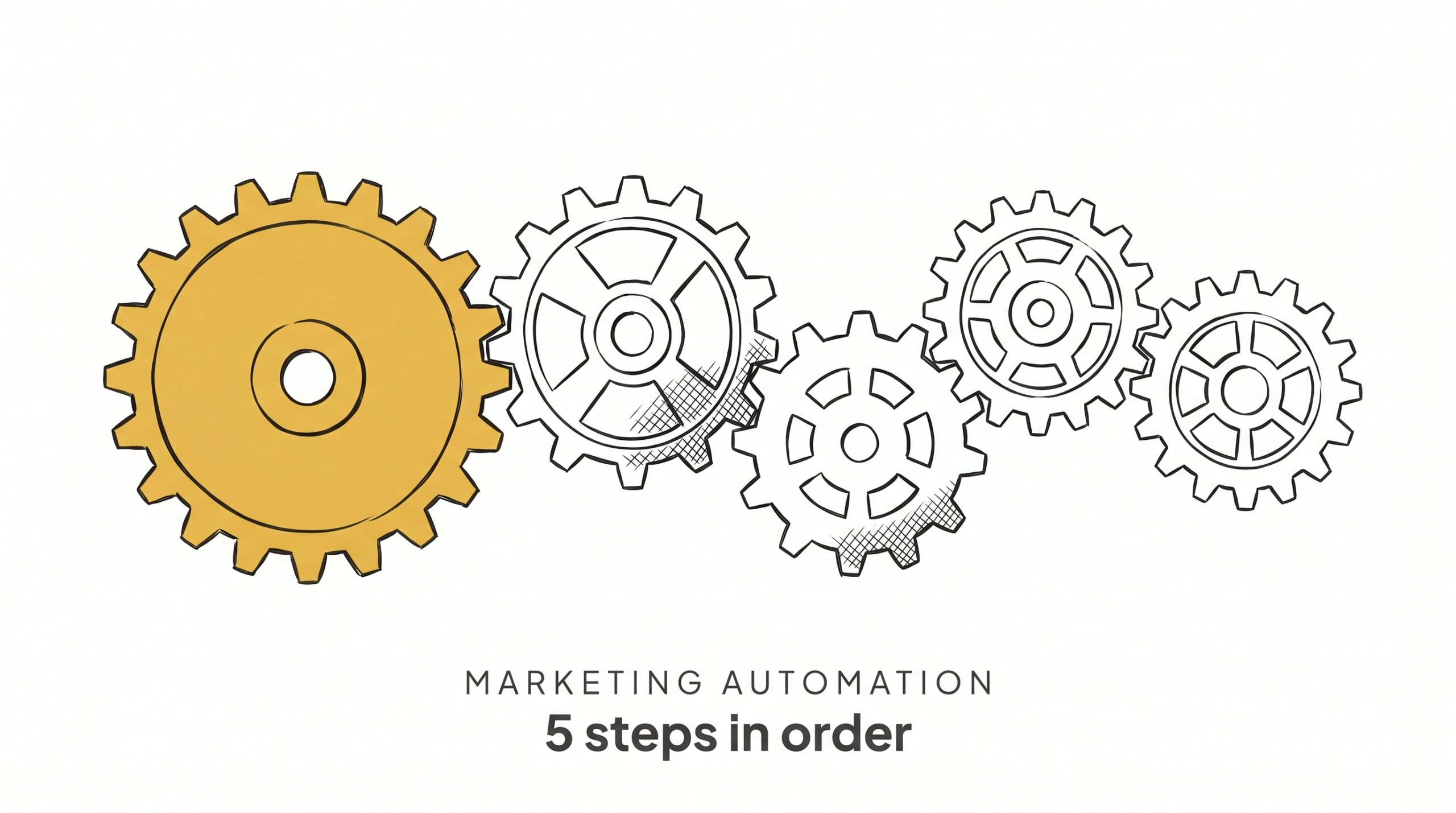
- The right order is five sequential steps: instant lead response, post-close sequence, monthly database touch, behavioral triggers, advanced segmentation
- Each step only gets built after the previous one is running consistently – not just set up, but actually running
- Step 1 (instant lead response) is the single highest-ROI automation available to any agent and takes less than two hours to implement
- Most agents who’ve been in business 3+ years are sitting on 500–1,000 contacts who haven’t heard from them in months – Step 3 fixes this permanently
Table of Contents
- Why Agents Set Up Automation Backwards
- The Right Order: Build the Foundation First
- Step 1: Instant Lead Response (Do This Today)
- Step 2: Post-Close Sequence
- Step 3: Monthly Database Touch
- Step 4: Behavioral Triggers
- Step 5: Advanced Segmentation
- How Long Does This Take?
- FAQ
Why Agents Set Up Automation Backwards
Here’s the typical agent automation story: they buy a CRM, watch some tutorials, and immediately start building a 12-step drip sequence for leads by buyer type – separate sequences for first-time buyers, move-up buyers, investors, and downsizers. They spend two weeks on this. Meanwhile, a new lead came in from their website three days ago and hasn’t been contacted.
This happens because agents optimize for what feels sophisticated rather than what drives results. A 12-step behavioral drip sequence looks impressive. Sending a text within 60 seconds of a new lead registration looks simple. The behavioral sequence is harder to build and rarely runs. The 60-second text is easy to set up and runs every single day.
Automation ROI comes from frequency and consistency, not complexity. The most valuable automations are the ones that fire 100 times a week without you thinking about them – not the ones that required 20 hours to architect.
Leads contacted within 5 minutes are 21x more likely to respond than those reached after 30 minutes (InsideSales.com / MIT Lead Response Management Study). A 60-second text automation fires that response for every single lead. A 12-step drip sequence you spent two weeks building doesn’t matter if the new lead went cold before you finished configuring it.
The Right Order: Build the Foundation First
Think of it as five concentric rings. The innermost ring (Step 1) affects the most leads and delivers the most immediate ROI. Each subsequent ring is valuable but only makes sense after the previous ring is solid.
Step 1: Instant lead response – Covers every new lead, regardless of source.
Step 2: Post-close sequence – Covers every client who closes with you.
Step 3: Monthly database touch – Covers your entire existing database.
Step 4: Behavioral triggers – Responds to signals from contacts already in your system.
Step 5: Advanced segmentation – Personalizes everything based on contact profile and behavior.
Don’t start Step 2 until Step 1 has been running for 30 days without gaps. Don’t start Step 4 until Steps 1–3 are all running. This isn’t about being conservative – it’s about not building complexity on top of a foundation that hasn’t been tested.
Step 1: Instant Lead Response (Do This Today)
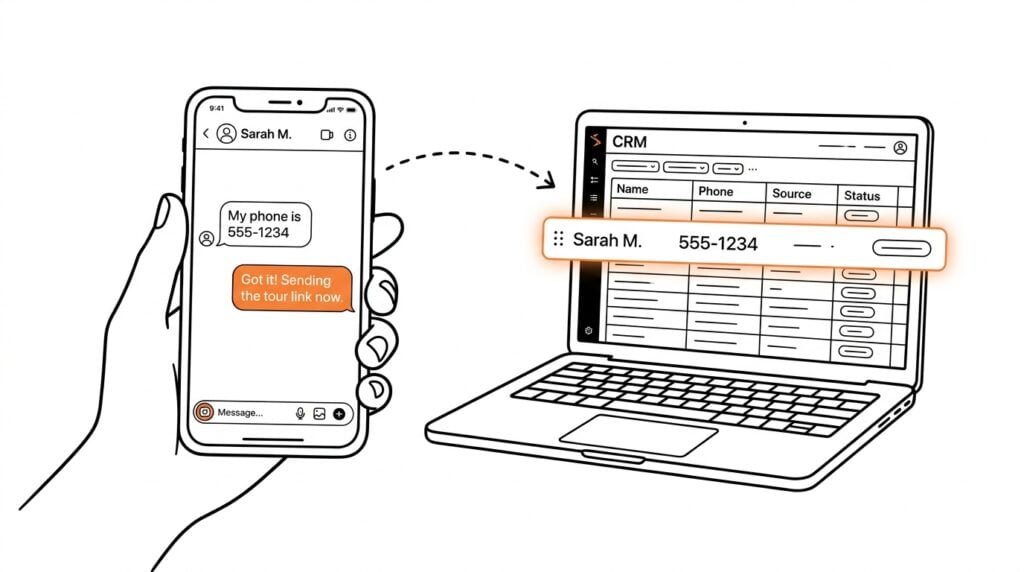
This is the most important automation in your entire business. A lead who gets contacted within 5 minutes is 100 times more likely to connect than one contacted after 30 minutes. After an hour, you’re essentially making a cold call. Most agents respond to new leads in hours – some don’t respond at all.
An instant lead response sequence looks like this:
- Immediate (0–2 minutes): Automated text with a personalized intro and a direct question (“Hey [First Name], this is [Your Name] – I saw you were looking at homes in [area]. Are you buying, selling, or just exploring?”)
- 2 minutes: Automated email with a helpful resource (market report, buyer guide, neighborhood overview)
- 30 minutes: Personal task assigned to you to call
- Day 1: If no response, second text with a different angle
- Day 3: Follow-up call + voicemail
- Day 5: Final check-in, move to longer-term nurture if no response
This sequence runs automatically for every lead who comes in from any source. Set it up once. Never miss a lead response again.
How to automate your real estate follow-up covers the full mechanics of building this sequence in your CRM. If you have a functional real estate follow-up system, Step 1 is already running. If not, this is where you start.
Step 2: Post-Close Sequence
Most agents disappear after closing. They’re on to the next deal. Meanwhile, the client who just had the best or worst experience of their adult life is sitting there, never hearing from you again – until you need a referral or they call you because they’re ready to sell.
A post-close sequence ensures that doesn’t happen. It should run for 24 months from closing and include:
- Week 1: Closing gift follow-up and move-in check-in (“How’s the house feeling? Anything I can help with?”)
- Month 1: Personalized check-in, offer to connect them with any vendors they need
- Month 3: Market update for their specific neighborhood
- Month 6: Home value check-in (their equity position has probably improved)
- Annual anniversary: Homeownership anniversary message with updated market conditions
- Month 18–24: Soft sell check-in (“Are you still planning to be in the house long-term, or are you thinking about making a move?”)
The goal isn’t to spam them. The goal is to stay connected and useful so that when they’re ready to move again – or their neighbor asks them who to call – you’re the obvious answer.
How to stay top of mind with past real estate clients covers the relationship side of this sequence in more depth.
Step 3: Monthly Database Touch
Your database is full of people who already know you. Some are past clients covered by Step 2. The rest – leads who never converted, former colleagues, sphere contacts, people you met at events – are in a slow fade out of your awareness and yours of theirs.
A monthly database touch is exactly what it sounds like: every contact in your database hears from you at least once a month. Not a sales email. A consistent, value-driven touch that keeps you visible – market updates, local news, relevant content, seasonal check-ins.
The goal is presence, not conversion. Most database contacts won’t be ready to buy or sell this month. Some will be ready this year. A small percentage will refer someone in the next 30 days. You can’t know which is which without staying in contact with all of them.
Set up a monthly email that goes to your entire database on the same date every month. Make it short, relevant, and easy to read in 30 seconds. If your database has gone cold, read how to reactivate a dead real estate database first – then build the monthly sequence to keep it warm going forward. Pair this with an AI database reactivation system to turn your cold list into booked appointments.
Nurtured leads produce, on average, a 20% increase in sales opportunities (Demand Gen Report). Most agents sitting on 500–1,000 dormant contacts are leaving that upside on the table simply because they have no consistent system to stay in touch.
For the email strategy that makes this work, real estate email marketing: what actually works for agents covers content, frequency, and format.
Step 4: Behavioral Triggers
Once Steps 1–3 are running, you have a foundation that covers new leads, recent clients, and your full database. Now you can start adding intelligence to the system.
Behavioral triggers fire automations based on specific actions a contact takes:
- Opens 3 emails in a row after months of silence → trigger a re-engagement text
- Clicks a “what’s my home worth” link → trigger a seller-focused follow-up sequence
- Visits your website three times in a week → flag for a personal outreach
- Opens an email but doesn’t click → adjust the next email’s content
These triggers make your follow-up proactive rather than calendar-based. Instead of emailing everyone on the 15th regardless of their behavior, you’re responding to signals that indicate intent.
This is where AI earns its place in the stack – platforms with behavioral scoring surface these signals automatically and tell you who to call today. Without Steps 1–3 in place, behavioral triggers have no context to work from. With them running, behavioral data becomes your best prospecting tool.
Step 5: Advanced Segmentation
This is the final layer, and most agents don’t need to think about it until Steps 1–4 have been running for 3–6 months. Advanced segmentation means sending genuinely different content to different contact profiles based on who they are and what they’ve done.
Examples:
- Buyers in the $300k–$400k range get different market updates than investors looking at commercial properties
- Contacts who have referred someone get a different touch than contacts who haven’t
- Sellers who listed but didn’t sell with you get a different reactivation sequence than buyers who went with another agent
- Contacts who’ve engaged with 5+ emails in the past 90 days go into a “hot list” with more frequent personal outreach
Segmentation multiplies the effectiveness of everything underneath it. Agents using CRM and marketing automation see 29% higher sales productivity (Salesforce State of Sales) – and advanced segmentation is what takes that number from good to exceptional. But it requires clean data, consistent tagging, and a baseline of engagement history to work from. That data comes from months of running Steps 1–4.
How Long Does This Take?
Here’s a realistic timeline for a solo agent building from scratch:
Week 1: Set up and test instant lead response (Step 1). This should take 2–4 hours in a properly configured CRM.
Weeks 2–3: Build post-close sequence (Step 2). Longer to write, but a one-time investment.
Month 2: Clean up database and launch monthly touch (Step 3). Database hygiene takes time if the list is messy.
Month 3–4: Layer in behavioral triggers (Step 4) after you have enough engagement data to work with.
Month 6+: Build out segmentation (Step 5) as your data matures.
The agents who try to do all five steps simultaneously in month one get stuck at Step 2 and never launch anything. The agents who build sequentially are fully automated within 6 months and then spend their time on what automation can’t do: relationships, listings, and showing up for clients.
Is Your Real Estate Business Leaking Revenue?
Most agents are losing deals they don’t even know they have. Find out exactly where your business is broken and get a custom plan to fix it.
FAQ
What’s the single most important marketing automation for a real estate agent to set up first?
Instant lead response, without question. Speed-to-lead is the highest-leverage variable in lead conversion for agents buying any form of paid or inbound leads. If you set up nothing else, set this up. It’s relatively simple to build and it runs every single day for every lead that comes in.
Do I need a specific CRM to run these automations?
You need a CRM that supports automation – contact storage alone won’t do it. Simple tools like LionDesk can handle Steps 1–3. Full automation platforms like GoHighLevel or nurtureBEAST can handle all five steps, including behavioral triggers and dynamic segmentation.
How do I write follow-up emails that don’t sound automated?
Write in first person, use the contact’s first name, and make the content relevant to their situation rather than generic. Avoid subject lines that look like mass mail. The best automated emails read like something you would have sent manually – they just don’t require you to sit down and write them one at a time.
What if my database is a mess – wrong emails, old phone numbers, no tags?
Clean it first. A database full of bad data will undermine every automation you build. Spend a week getting it into shape before you launch anything – remove duplicates, verify key contacts, add tags for buyer/seller/past client/SOI. A smaller, clean database will outperform a large, dirty one every time.
How do I know if my automations are actually working?
Track three metrics: open rate (are people reading it?), click rate (are they engaging?), and response rate (are they replying or taking action?). Benchmark against your baseline from before automation. If open rates are above 25%, click rates above 3%, and you’re getting consistent inbound responses – it’s working.
The Bottom Line
Real estate marketing automation isn’t about building the most sophisticated system. It’s about building the right system in the right order, getting it running, and trusting it to do its job while you focus on the work only you can do. Five steps. Build them sequentially. Don’t skip the foundation.
Start building the right system at nurturebeast.com.