⏱ 19 min read
Published March 31, 2026
How to Clean Up a Messy Real Estate CRM Database in 5 Easy Steps
Last Updated: March 31, 2026
A real estate CRM full of duplicates, dead contacts, and missing data doesn’t just waste space – it actively breaks your follow-up. Automated sequences fire to the wrong people. Segments are meaningless. You can’t trust your own pipeline. Cleaning up your CRM database isn’t glamorous work, but it’s the foundation that makes everything else – drip campaigns, market reports, referral asks – actually work. This guide gives you a step-by-step audit process to go from messy to functional in one focused session.
Key Takeaways
- A dirty CRM database makes automation useless – garbage in, garbage out
- The audit has five stages: export, deduplicate, fill data gaps, segment, and re-engage
- Most agents have 30-40% duplicate or uncontactable contacts clogging their database
- Proper segmentation is what turns a list into a follow-up system
- You only need to do a full audit once – maintenance after that takes 15 minutes a month
Want a printable PDF of this guide?
Keep this at your desk. Enter your email below and I’ll send the Cheat Sheet straight to your inbox.
Table of Contents
- Why a Messy CRM Is Worse Than No CRM
- Step 1: Export and Audit What You Have
- Step 2: Kill the Duplicates
- Step 3: Fill the Data Gaps
- Step 4: Segment Your Contacts Properly
- Step 5: Re-Engage the Cold Contacts
- Building a Maintenance Habit
- FAQ
Why a Messy CRM Is Worse Than No CRM
Agents who don’t use a CRM at all at least know their follow-up is manual. Agents with a broken CRM think they have a system when they don’t.
Here’s what a dirty database actually costs you:
Your automation misfires. Drip sequences go to duplicate contacts, bounced emails, or people who are already clients. You’re sending “Are you still looking to buy?” to someone who closed with you two years ago.
Your segments are wrong. If you can’t tell who’s a past client vs. a cold lead vs. a hot prospect, you can’t tailor your messaging. Generic messages get ignored.
You can’t trust your data. When you don’t know what’s in your CRM, you stop using it. It becomes a contacts graveyard instead of a revenue tool.
According to Salesforce research, agents who use a CRM properly see 29% higher sales productivity. The key word is properly – a bloated, disorganized database gets you none of those benefits.
The fix isn’t a new CRM. It’s cleaning the one you have.
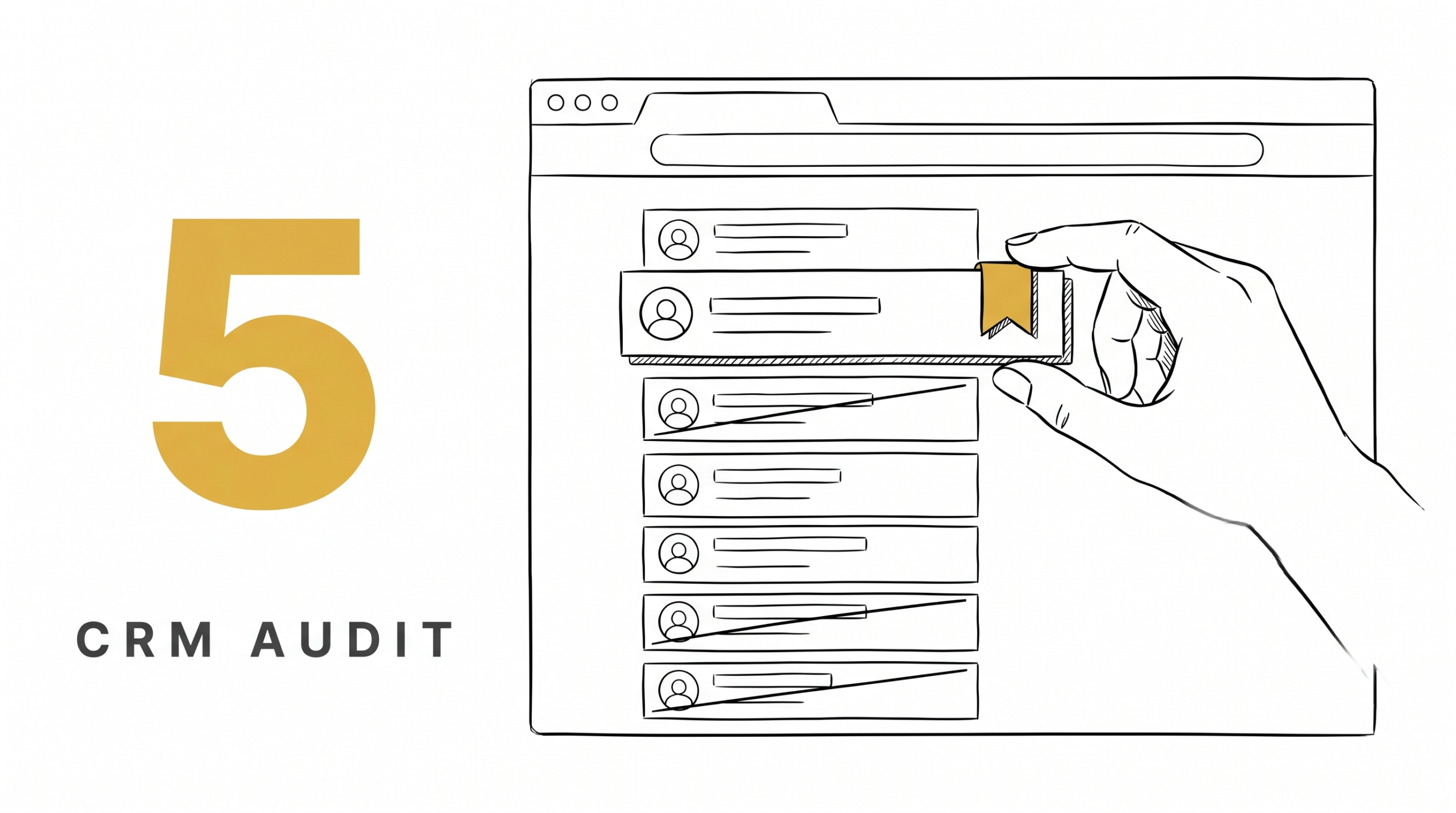
Step 1: Export and Audit What You Have
Before you touch anything, export your full contact list to a spreadsheet. Most CRMs have a CSV export option. If yours doesn’t, that’s a separate problem to address.
Once you have the export, run through these audit questions:
How many total contacts do you have? Write the number down. You’ll compare it to your final count after cleanup.
What percentage have a valid email address? Sort by email. Any contact without one is limited to phone-only follow-up.
What percentage have a valid phone number? Same exercise. Note how many have both email and phone – those are your most reachable contacts.
When was the last activity logged? Most CRMs have a “last contact” or “last activity” field. Sort by it. You’ll likely find hundreds of contacts with zero activity in the last 2+ years.
Are there clear duplicate entries? Look for the same name appearing twice, or the same phone number attached to different records.
This audit takes 30-60 minutes. At the end, you’ll have a clear picture of what you’re working with and where the biggest problems are.
Step 2: Kill the Duplicates
Duplicates are the most common problem in real estate databases. They happen when you import contacts from multiple sources – your old brokerage, Zillow leads, open house sign-in sheets, business card scans – without checking for existing records first.
How to find them:
Most modern CRMs have a built-in duplicate detection tool. Use it first. It won’t catch everything, but it’ll get the obvious ones.
For the ones it misses, sort your spreadsheet by phone number, then by email. Identical values across rows = duplicate contacts. You can also sort by last name and scan for repeats.
How to merge them:
When merging, keep the record with more data. If one entry has a phone number and the other has an email, merge them so you keep both. Most CRMs let you designate a “master” record when merging.
What to do with dead contacts:
If an email has hard-bounced and you have no phone number, that contact is effectively dead. Don’t delete them immediately – create a “Dead/Uncontactable” tag and move on. You can archive them later.
A typical agent database has 25-40% duplicates or uncontactable records. Cleaning this out immediately makes your list more accurate and your deliverability better.
Step 3: Fill the Data Gaps
After duplicates are handled, you’ll have contacts with incomplete information. This step is about making your database as complete as possible.
Priority fields to fill:
- First and last name (required for personalization to work)
- Email address
- Phone number (mobile preferred for texting)
- How you know them (source tag – Zillow, sphere, referral, open house, etc.)
- Where they are in the buying/selling process
- Rough timeframe if they’re a lead
Where to find the missing data:
Check your email threads. Check your text message history. Check your social DMs. You probably have more information than your CRM does – it just hasn’t been entered.
For sphere contacts who are missing fields, a quick “catching up” call doubles as a data-gathering exercise. You’re not cold calling – you’re reconnecting.
Don’t try to complete every record at once. Work through your highest-value contacts first: past clients, active leads, and strong referral sources. Everyone else can be a secondary pass.
For more on building a database that actually works for follow-up, see our guide on real estate database management.
Step 4: Segment Your Contacts Properly

This is the step most agents skip, and it’s the most important one. Without segments, every contact gets the same message, which means no message is actually relevant to anyone.
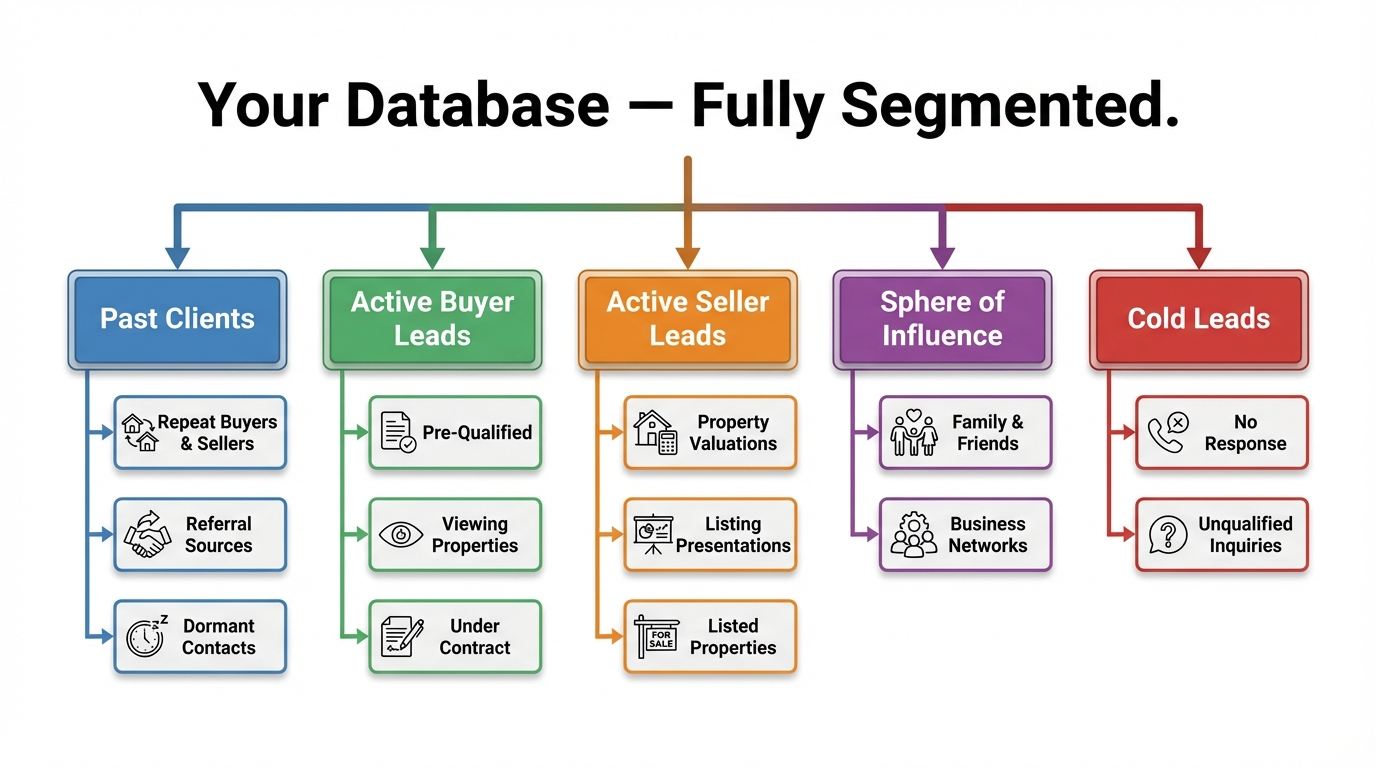
The core segments every agent needs:
Past Clients – People you’ve closed a deal with. These are your referral engine. 87% of real estate sales come from referrals or repeat clients (NAR, 2023). These contacts deserve their own nurture track focused on market updates, check-ins, and soft referral asks.
Warm Leads – People who have expressed interest but haven’t moved forward yet. They need consistent, value-first follow-up. Not pushy. Present.
Cold Leads – Old leads who went quiet, contacts from old campaigns, or anyone you’ve never actually spoken to. These need a re-engagement sequence before they belong in your main nurture track.
Sphere of Influence – Friends, family, neighbors, past coworkers. They know you personally. Their messaging should feel personal, not automated.
Vendors and Partners – Lenders, title reps, contractors. Keep them in a separate bucket. They’re referral sources, not leads.
Tag every contact with their primary segment. In most CRMs, this is either a tag, a custom field, or a pipeline stage. Whatever system your CRM uses, build this structure and apply it consistently.
Once your contacts are segmented, automation becomes genuinely useful. A real estate drip campaign for past clients looks completely different from one for cold leads – and it should.
Step 5: Re-Engage the Cold Contacts
Your cold contacts aren’t worthless. They’re just dormant. Before you write them off, run them through a re-engagement campaign.
The goal is simple: figure out who’s still reachable and interested, so you can move them into an active nurture track.
A basic re-engagement sequence:
- Day 1: Text or email. Keep it short. “Hey [Name], it’s [Agent]. We haven’t connected in a while – just checking in. Are you still thinking about buying/selling, or has that changed?”
- Day 4: Follow-up call if no response to the text.
- Day 10: Email with a market update for their area. Value-first.
- Day 20: Final touch. “I want to make sure I’m not sending you stuff that isn’t relevant. Reply with ‘stop’ if you’d rather not hear from me, or ‘yes’ if you’re still open to updates.”
Anyone who responds gets moved to an active segment. Anyone who doesn’t respond after all four touches gets tagged as “inactive” and moved to a low-frequency nurture – maybe one email per quarter.
This process alone often surfaces 10-20 leads from contacts agents had completely written off. For a full playbook on bringing old contacts back to life, see our real estate database reactivation guide. Pair this with an AI database reactivation system to turn your cold list into booked appointments.
Building a Maintenance Habit
The full audit is a one-time project. Keeping your database clean after that is a habit, not a project.
Monthly (15 minutes):
- Review any new contacts added that month and make sure they’re tagged and segmented
- Check for new bounced emails and flag them
- Merge any obvious duplicates that slipped through
Quarterly (30-60 minutes):
- Review your cold/inactive contacts list and decide who to archive vs. keep
- Update life changes you know about: clients who moved, bought, had kids, changed jobs
- Check that your sequences are still running properly and not sending to the wrong segments
Most CRMs have reports that make this easier. Learn where yours live and schedule a recurring calendar block.
FAQ
How often should I clean my real estate CRM database?
Do a full audit once – ideally right now if you’ve never done one. After that, a quick 15-minute monthly review keeps things from getting messy again. Set a recurring calendar reminder so it actually happens.
Should I delete old contacts from my CRM?
Don’t delete – archive. Most CRMs let you mark contacts as inactive so they’re out of your active sequences but still searchable. You never know when an old contact will resurface, and deletion is permanent.
What’s the best way to deduplicate a large contact list?
Most CRMs have built-in duplicate detection. Use that first. For anything it misses, export to a spreadsheet and sort by phone number or email address to find matching rows manually.
How many segments do I actually need?
Start with five: Past Clients, Warm Leads, Cold Leads, Sphere of Influence, and Vendors/Partners. You can get more granular later – adding sub-tags for buyer vs. seller, timeframe, or lead source – but five segments is enough to make your messaging relevant.
What if my CRM doesn’t support tagging or segmentation?
That’s a sign you’ve outgrown your tool. A CRM that can’t segment contacts isn’t actually doing its job. Check out our breakdown of real estate CRM options for agents to find one that does.
The Bottom Line
A messy CRM isn’t just an organizational problem – it’s a revenue problem. When your database is full of duplicates, dead contacts, and missing data, your follow-up sequences fire at the wrong people and your segmentation means nothing. You end up doing more manual work than you would without a CRM at all.
The five-step audit in this post fixes that. Export, deduplicate, fill gaps, segment, re-engage. One focused session and your database becomes a tool you can actually trust.
From there, automation starts working the way it’s supposed to. Sequences go to the right people. Market reports land in the right inboxes. Referral asks go to past clients who remember you fondly. The whole system runs on a foundation of clean data.
Is Your Real Estate Business Leaking Revenue?
Most agents are losing deals they don’t even know they have. Find out exactly where your business is broken and get a custom plan to fix it.