⏱ 18 min read
Published March 31, 2026
Realtor Websites: 5 Lead Capture Tools That Actually Work
Last Updated: March 31, 2026
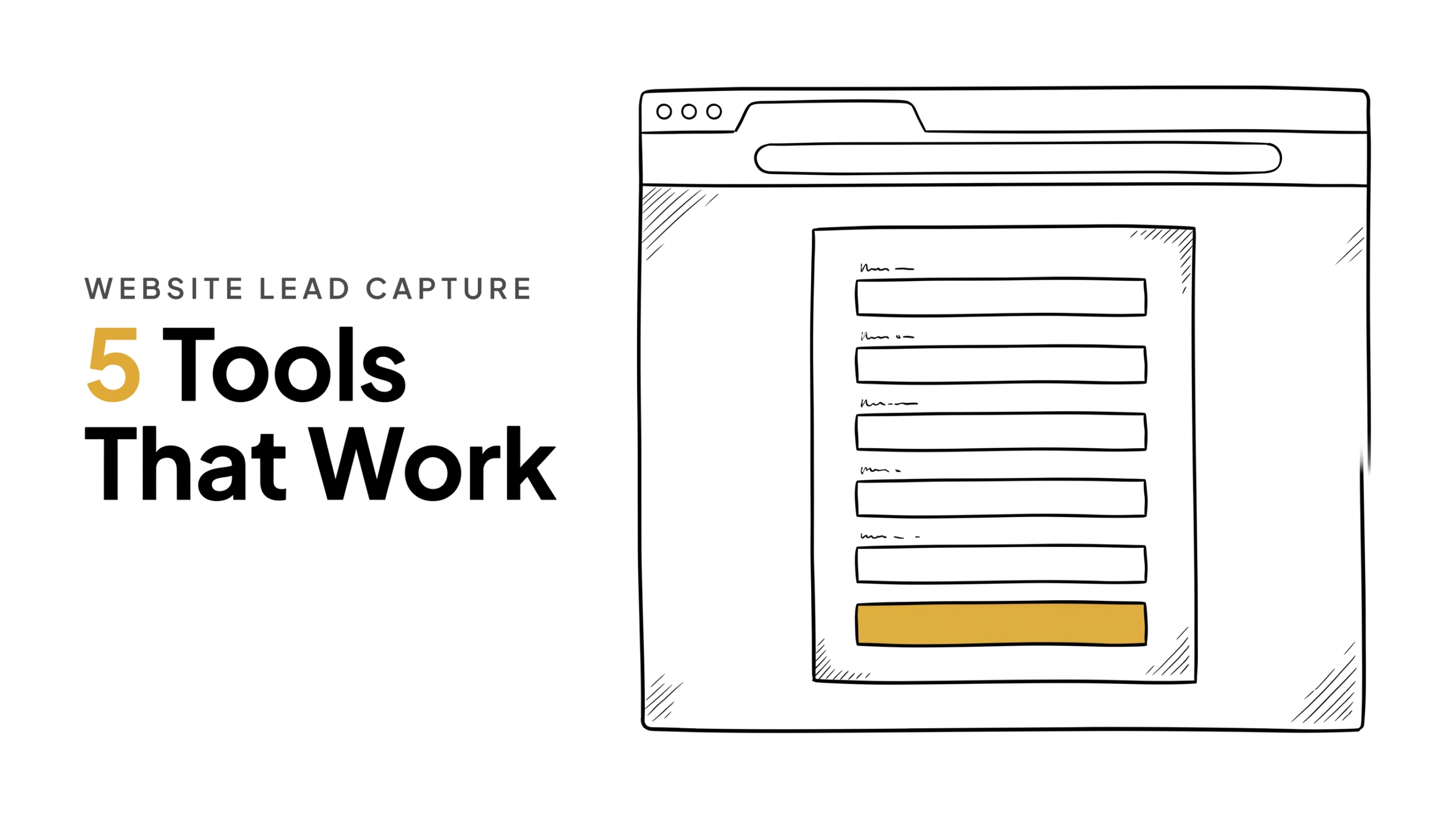
Most real estate agent websites have the same problem: they get traffic and capture almost none of it. A visitor browses listings, looks at the About page, and leaves – with no way for you to follow up. Website lead capture is the bridge between anonymous traffic and a database contact you can actually nurture. This guide covers the specific capture mechanisms that work, where to place them, what to offer in exchange for contact info, and how to connect every form submission directly to your CRM and follow-up sequence.
Key Takeaways
- A real estate website without lead capture is a brochure, not a lead generation tool
- The best lead capture offers something specific and immediately useful – not “sign up for my newsletter”
- IDX home search with registration is the highest-volume capture mechanism for most agent sites
- Home valuation tools capture seller leads who don’t fill out contact forms
- Every form submission must trigger an immediate automated response and CRM entry – manual follow-up kills conversions
Table of Contents
- Why Most Agent Websites Don’t Capture Leads
- The 5 Lead Capture Mechanisms That Work
- What to Offer: Lead Magnets for Real Estate
- Where to Place Capture Forms
- CRM Integration: From Form to Follow-Up
- Measuring What’s Working
- FAQ
Why Most Agent Websites Don’t Capture Leads
The typical agent website has a contact form buried in the footer, an IDX search with no registration requirement, and a homepage that says “Your name, Your trusted local expert.” None of these capture leads.
The problem is friction in the wrong places and value in the wrong places. Requiring registration before any search results are visible creates too much friction too early. Offering nothing specific in exchange for contact info creates no reason to share it.
Visitors to real estate websites are in research mode. They want information – listings, prices, neighborhood data, home values. The lead capture strategy that works gives them that information in exchange for an email or phone number, and then follows up immediately with more of the same.
Research consistently shows that leads contacted within minutes of submitting a form are dramatically more likely to convert than those contacted hours later. Website lead capture only works if the follow-up is immediate and automatic.
The 5 Lead Capture Mechanisms That Work
1. IDX Home Search with Soft Registration
IDX (Internet Data Exchange) lets visitors search MLS listings on your website. The lead capture version: let visitors browse freely, but require registration after they view 3-5 listings, or to save searches and get alerts.
This “soft gate” converts significantly better than a hard gate (registration required before any results). The visitor has already invested time in the search and sees the value of saving their criteria before being asked for their email.
Best practice: require only email and first name for registration. Phone number is optional at this stage – lower friction, higher volume. You’ll capture more leads who aren’t ready to talk yet, which is fine – that’s what nurture sequences are for.
2. Home Valuation Tool
A “What’s My Home Worth?” tool captures seller leads – the highest-value lead type for most agents. Visitors enter their address and receive an automated valuation estimate; you receive their contact info and address.
Tools like HomeBot, HouseCanary, or simple Zapier integrations with AVM APIs can power this. Even a basic form that says “Enter your address and we’ll send you a custom market analysis” captures leads, especially if you follow up with a real CMA within 24 hours.
This is your best seller lead capture mechanism because it attracts people who are actively thinking about their home’s value – which correlates strongly with being 6-18 months from listing.
3. Neighborhood Market Report Opt-In
“Get monthly stats for [Neighborhood Name] – prices, days on market, what’s sold.” Hyperlocal, specific, and useful. This works particularly well if you’re doing geographic farming – the people who opt in for a specific neighborhood report are either living there or considering moving there.
Deliver the report automatically via email. A simple monthly email with 3-4 data points specific to that neighborhood is enough. The contact is now in your database and receiving regular value.
4. Downloadable Guides
A buyer’s guide, seller’s checklist, or neighborhood overview in PDF form. Visitors enter their email to receive the download. Works best when the guide is specific to a question your target audience is actively asking – “What to Expect When Buying in [City] in 2026” outperforms “First-Time Homebuyer Guide.”
Lower intent than IDX or home valuation leads, but good for building top-of-funnel volume. These leads typically need longer nurture before they’re ready for a conversation.
5. Free Consultation / Strategy Call
A direct CTA: “Book a free 20-minute call to discuss your buying/selling goals.” Lower volume but highest intent – someone who books a call is ready to talk. Calendly or a similar booking tool embedded on the site makes this frictionless. Automating the booking step with calendar automation removes the back-and-forth that kills conversion.
Place this prominently on your About page and in your blog post CTAs. It captures the warm visitor who is ready to engage but isn’t sure how.
What to Offer: Lead Magnets for Real Estate
The lead magnet (what you give in exchange for contact info) determines the quality and intent of the leads you capture.
High-intent lead magnets:
- “What’s my home worth?” (seller intent – highest value)
- “See homes that match my criteria” (buyer intent – IDX registration)
- “Book a free consultation” (immediate conversation intent)
Medium-intent lead magnets:
- Monthly neighborhood market report (local homeowner or buyer)
- “What can I afford?” mortgage calculator with email results
- “Homes that just came to market in [area]” alert
Low-intent lead magnets:
- Downloadable buyer’s/seller’s guide
- “Real estate tips” newsletter signup
- Generic market update
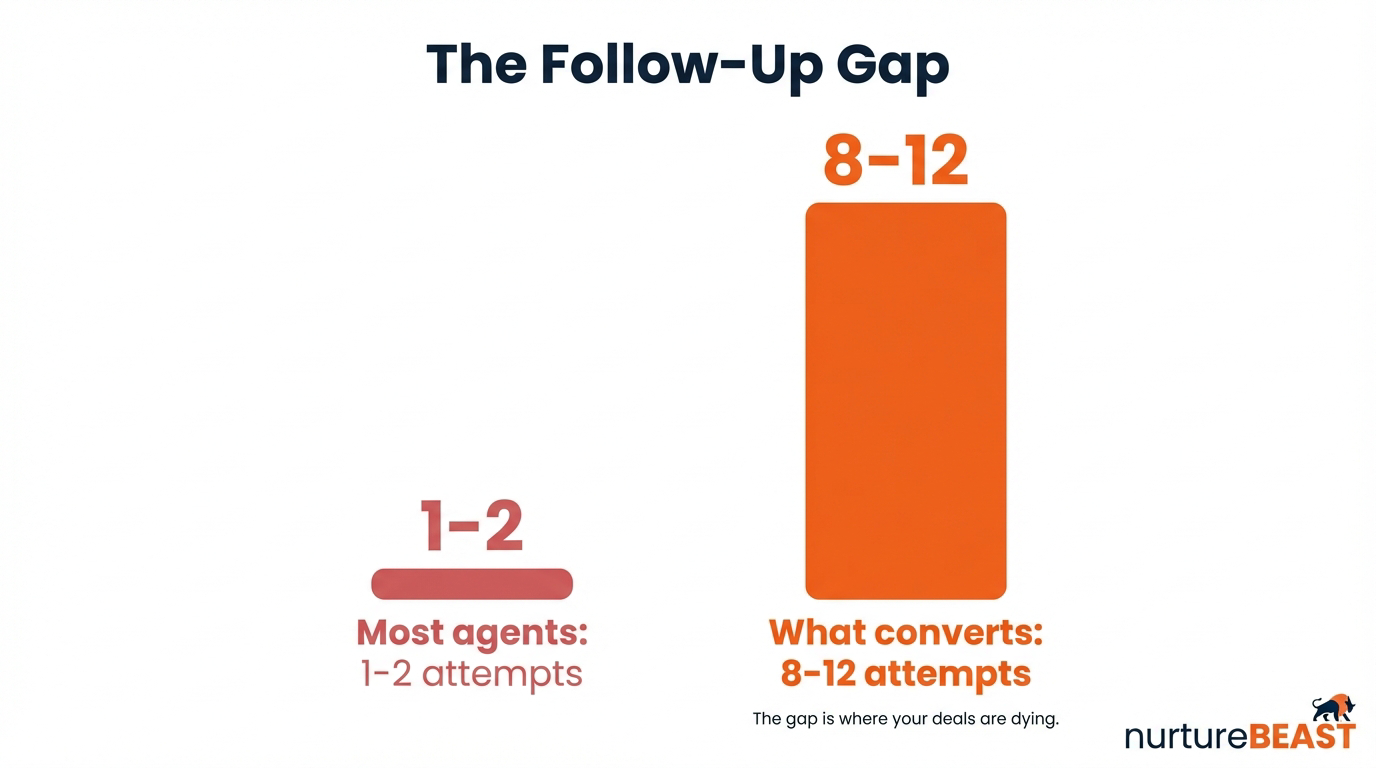
Match your lead magnet to your follow-up capacity. High-intent leads need fast, personal follow-up (speed to lead matters here). Low-intent leads can go into an automated long-burn drip sequence.
Where to Place Capture Forms
Homepage: One primary CTA above the fold. Either IDX search or home valuation – pick one as your primary offer and make it the centerpiece of the page.
Blog posts: Every post should end with a relevant CTA. A post about buying in [neighborhood] ends with “Want to see current listings in [neighborhood]? Enter your email for a custom search.” A post about selling ends with “Curious what your home is worth right now? Get a free estimate.”
About page: Book a consultation CTA. Someone reading your About page is already interested in you specifically – give them a low-friction way to start a conversation.
Property pages: “Schedule a showing” and “Get similar listings” CTAs. Visitors viewing specific properties are active buyers.
Pop-ups / exit intent: Used carefully. An exit-intent popup (triggered when the visitor is about to leave) with a compelling offer can capture leads who are about to disappear. Annoying if poorly timed; effective if the offer is relevant.
Avoid placing forms only in the footer or Contact page. Most visitors never get there.
CRM Integration: From Form to Follow-Up
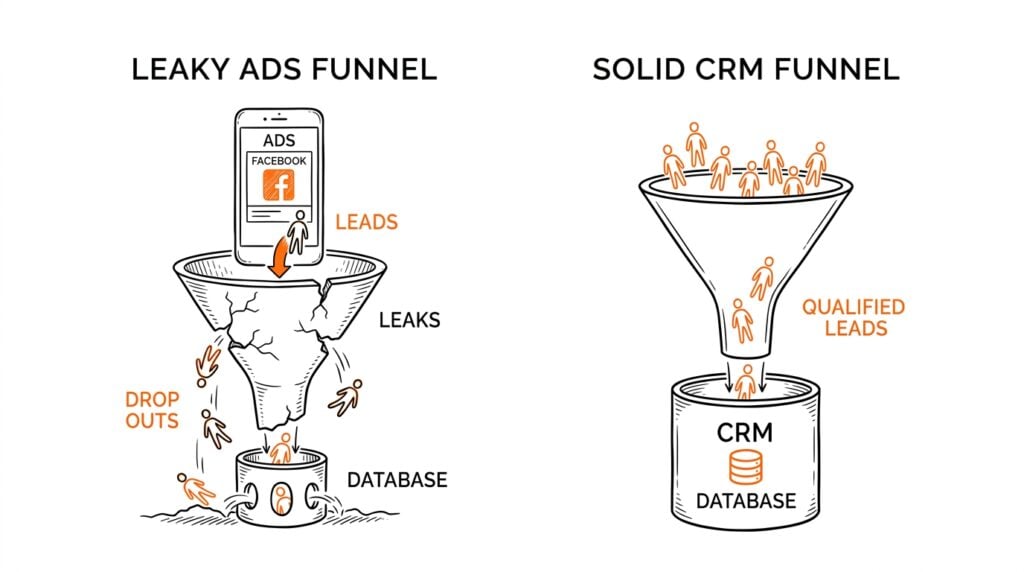
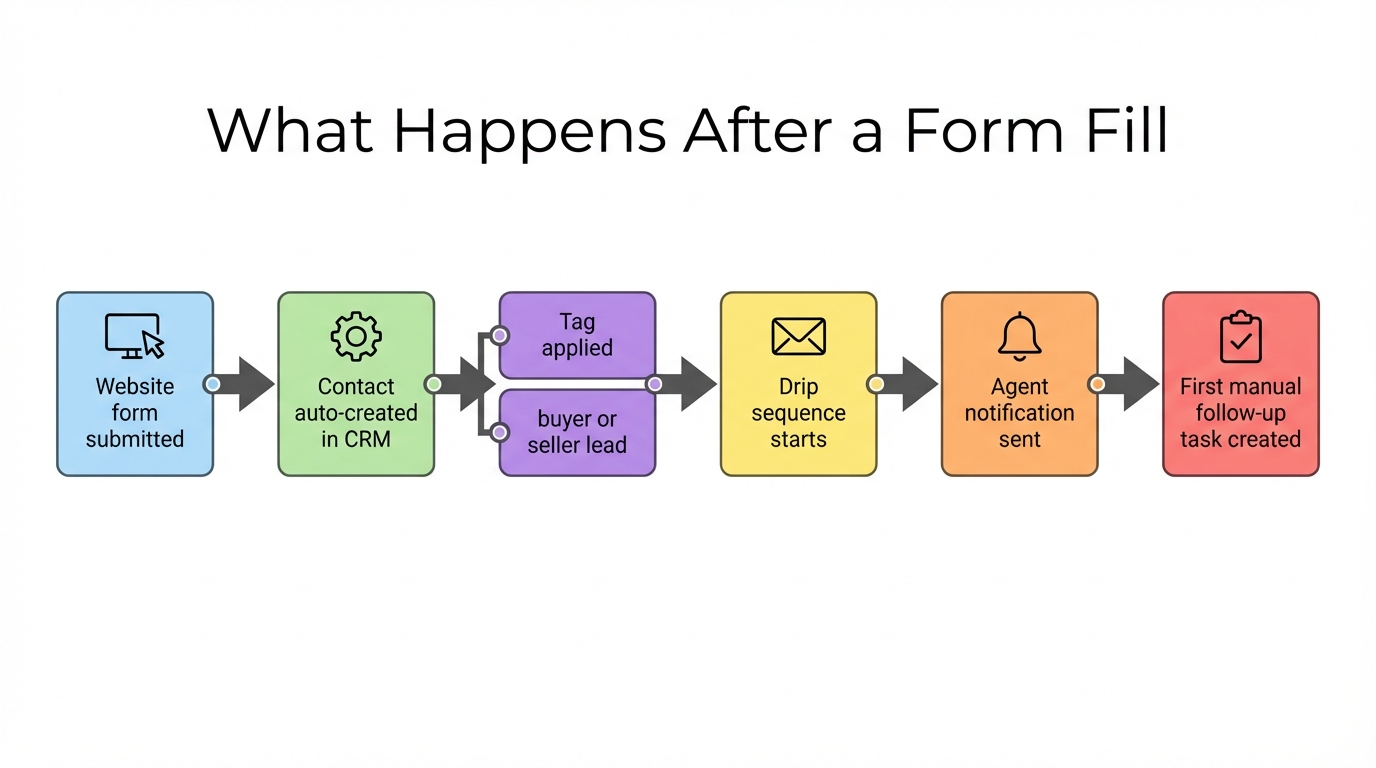
A form submission that doesn’t instantly trigger a CRM entry and an automated response is a lead that’s already cooling off.
The minimum viable integration:
1. Visitor submits form
2. Contact created in CRM automatically (via Zapier, native integration, or webhook)
3. Automated text fires within 60 seconds: “Hey [Name] – I saw you were checking out [offer]. Are you thinking about buying or selling in [area]?”
4. Automated email follows with more value relevant to their inquiry
5. Task created for personal follow-up within the hour
If your website forms are going to your email inbox and you’re manually entering them into your CRM, you will lose leads. At any meaningful traffic volume, manual entry is too slow and too error-prone.
Most modern CRM platforms have either native website integrations or Zapier connections that handle this automatically. Real estate marketing automation at the website level is what converts traffic into pipeline.
Measuring What’s Working
Track these metrics monthly:
- Form conversion rate: What % of visitors submit a form? Industry benchmark is 1-3% for most agent websites. If you’re below 1%, your offer or placement needs work.
- Lead-to-contact rate: What % of form submissions actually respond to your first outreach? Low rate = follow-up is too slow or too generic.
- Source breakdown: Which forms/pages are generating the most leads? Double down on what’s working.
- Lead quality by source: Which capture mechanism produces leads that actually convert to appointments or clients? IDX leads and home valuation leads typically outperform newsletter signups.
Google Analytics (or GA4) tracks which pages visitors are on before they convert. Google Search Console tells you which search terms are bringing people to your site. Together, they show you where to invest more content and optimization effort.
FAQ
Do I need a custom website or will a brokerage-provided site work?
Brokerage-provided sites typically have limited customization and basic IDX. They work for a starting point but rarely allow the lead capture optimization described here. A custom site on WordPress or Squarespace gives you full control over forms, CTAs, and CRM integrations.
Should I require a phone number on my lead capture forms?
Not initially – requiring phone upfront reduces form completion significantly. Capture email first, then ask for phone in your follow-up sequence once the contact has engaged.
What’s the best IDX provider for lead capture?
IDX Broker, Showcase IDX, and iHomefinder are commonly used. Evaluate them based on CRM integration options and how the soft-gate registration is implemented – the UX of the registration prompt significantly affects conversion rate.
How do I get more traffic to my website to capture more leads?
SEO (blog content targeting local real estate searches), Google Business Profile optimization, and social media linking to specific landing pages. See our guides on real estate social media lead generation and Google Business Profile for real estate agents.
How fast does my automated response need to be?
Within 60 seconds is ideal. Within 5 minutes is acceptable. Beyond 5 minutes, contact rates drop sharply. This is not a manual process – it must be automated.
The Bottom Line
A real estate website without lead capture is a missed opportunity on every visitor who leaves without a way to follow up. The fix is not complicated: add the right capture mechanisms (IDX registration, home valuation, neighborhood reports), place them where visitors are most engaged, offer something specific and useful in exchange, and connect every form directly to your CRM so the follow-up is immediate and automatic.
Traffic without capture is wasted. Capture without follow-up is wasted. The full loop – visit, capture, immediate automated response, CRM entry, nurture sequence – is what turns a website from a brochure into a lead generation system.
Is Your Real Estate Business Leaking Revenue?
Most agents are losing deals they don’t even know they have. Find out exactly where your business is broken and get a custom plan to fix it.